Parallels pricing starts at $99.99/year for the Standard Edition, while the Pro Edition costs $119.99/year and the Business Edition starts at $149.99/year.
This guide compares every Parallels pricing plan, feature, and subscription option to help you choose the right edition.
What Are The Parallels Pricing Plans In 2026?
Parallels pricing includes New, Upgrade, and Student plans, giving different purchase options for new users, existing customers, and eligible students.

| Parallels Plan | Price |
|---|---|
| Standard | $99.99/year |
| Pro | $119.99/year |
| Business | $149.99/year |
Grab a 75% Parallels coupon code to save on all subscription options during seasonal deals and promotional offers.
What’s Included In Parallels Desktop Plans?
Let’s compare what features you get with the respective Parallels pricing tier to better understand which plan is best for your needs.
1. Core Offerings
| Feature | Standard | Pro | Business |
|---|---|---|---|
| Maximum Virtual RAM & CPUs | Supports up to 8GB RAM and 4 vCPUs | Supports up to 128GB RAM and 32 vCPUs | Supports up to 128GB RAM and 32 vCPUs |
| Supports Latest macOS, Windows & Linux | Available via subscription | Supports the latest versions | Supports the latest versions |
| Microsoft Authorized & SOC 2 Certified | Not certified | Certified | Certified |
| 3D Acceleration (DirectX & OpenGL) | Enables 3D acceleration | Enables advanced 3D acceleration | Supports the latest versions |
| Run Thousands of Windows Apps on Mac | Runs most Windows apps | Runs most Windows apps | Microsoft Authorised & SOC 2 Certified |
2. Advanced Capabilities
| Feature | Standard | Pro | Business |
|---|---|---|---|
| Run Windows Apps with Intensive Graphics | Does not support advanced graphics workloads | Supports intensive graphics applications | Supports intensive graphics applications |
| Command Line Interface (CLI) | Not available | Provides CLI access | Provides CLI access |
| Built-in Developer Tools | Not included | Includes developer tools | Includes developer tools |
3. System Tools
| Feature | Standard | Pro | Business |
|---|---|---|---|
| Disk Cleanup & Memory Cleaner | Not included | Includes disk cleanup & memory optimization tools | Includes disk cleanup & memory optimisation tools |
| System & Performance Monitoring | Not available | Provides real-time system monitoring | Includes disk cleanup & memory optimisation tools |
| Multimedia Download & Conversion | Not supported | Supports multimedia download & file conversion | Supports multimedia download & file conversion |
| Productivity & Privacy Boosters | Not included | Includes productivity & privacy tools | Includes productivity & privacy tools |
| Screen Capture & Recording | Not available | Enables screen capture & recording | Enables screen capture & recording |
4. Teams & Small Business
| Feature | Standard | Pro | Business |
|---|---|---|---|
| Centralized Admin & License Management | Not available | Not available | Enables centralised admin control & license management |
| Automation of CI/CD Workflows | Not available | Supports CI/CD automation | Supports CI/CD automation |
| Advanced Provisioning Tools | Not included | Not included | Provides advanced provisioning tools |
| Volume Licensing | Not available | Not available | Offers volume licensing options |
| Jamf & Intune Integration | Not supported | Not supported | Integrates with Jamf & Microsoft Intune |
What Payment Methods And Currencies Does Parallels Support?
Parallels supports multiple payment options depending on where you purchase.
Official Website Purchases:
- Accepts major credit cards (Visa, MasterCard, American Express, Discover)
- Debit cards (region-dependent)
- PayPal
Mac App Store Purchases:
- Billed through your Apple ID
- Uses Apple’s supported payment methods (credit/debit cards, Apple Pay, PayPal in supported regions, Apple balance, etc.)
Currencies & Regional Pricing:
- Prices display in your selected country’s currency (e.g., USD, EUR, GBP, INR).
- Local taxes (VAT/GST/sales tax) apply based on billing location.
- Subscription and one-time purchase pricing may vary by region.
- Promotional discounts can differ by country.
Important: Select the correct country/region during checkout to view accurate pricing, currency, and applicable taxes.
If you’re a student, make sure to check the available Parallels Desktop student discount in your region that can help you save 50% on your payment.
What Are The Parallels Add-Ons & Additional Products?
Here are the Parallels pricing (prices vary by region, taxes, and promotions)
1. Parallels Toolbox – $24.99/year
Parallels Toolbox includes 40+ one-click utilities designed for everyday tasks.
Key tools include:
- Disk cleanup and memory free-up
- Video downloader
- Screen capture and screen recording
- Archive and unarchive files
- Do Not Disturb mode
- File conversion tools
- System maintenance shortcuts
It runs natively on macOS and Windows and does not require launching a virtual machine.
2. Parallels Access – $19.99/year (1 computer)
$29.99/year (up to 5 computers)
Parallels Access lets you remotely control your Mac or Windows PC from:
- iPhone
- iPad
- Android devices
- Web browser
It provides full desktop access, file access, and remote app control. It’s useful for remote work, accessing large files, or running desktop apps while away from your desk.
3. Windows License (Purchased Separately)
Parallels Desktop does not include a Windows license. To run Windows in your virtual machine, you’ll need a valid Windows 11 license, which is purchased separately.
Typical Microsoft pricing includes:
- Windows 11 Home: Around $139 (one-time purchase)
- Windows 11 Pro: Around $199 (one-time purchase)
Prices may vary by country and region. During the Parallels installation process, you can also purchase and activate a Windows license directly through the setup wizard, making the installation process quicker and easier.
4. Parallels Business Add-Ons – Custom Pricing
Parallels Business Edition includes enterprise-focused features such as:
- Centralised license management portal
- Mass deployment tools
- Single sign-on (SSO) integration
- Advanced VM configuration controls
- Enhanced security policies
- Premium business support
Pricing depends on the number of licenses and company requirements. Business plans are typically priced higher than Standard subscriptions and scale with volume. You can also take advantage of seasonal promotions like the 35% Black Friday deal to save up to $99.50.
Parallels vs Other Virtualization Tools: How Much Do They Cost?
Here’s the pricing comparison of popular Mac virtualisation solutions (U.S. pricing may vary by region and promotions).
| Software | Best For | Pricing Model |
|---|---|---|
| Parallels Desktop | Users who need full Windows 11 support, strong macOS integration, and gaming/development capability | $99.99/year (Standard), $119.99/year (Pro), $149.99/year (Business) |
| VMware Fusion Player / Pro | Users who want stable VM performance and advanced VM configuration | Free for personal use (Player), ~$149 one-time (Pro) |
| Oracle VirtualBox | Users who want a free, open-source virtualization tool across macOS, Windows, and Linux | Free (open-source, no license fee) |
| UTM (Mac) | Users running ARM-based systems (Apple Silicon) who want lightweight virtualization or emulation | Free (direct download) or $9.99 (Mac App Store version) |
| CrossOver (Wine-based) | Users who want to run select Windows apps without installing Windows | $74/year (12-month license) or $494 lifetime license) |
If you want a detailed comparison, here is a detailed comparison of Parallels vs Crossover that shows how they differ in performance, compatibility, and pricing.
What Is Parallels?
Parallels Desktop is a virtualization software that runs Windows, Linux, and other operating systems on macOS without rebooting.
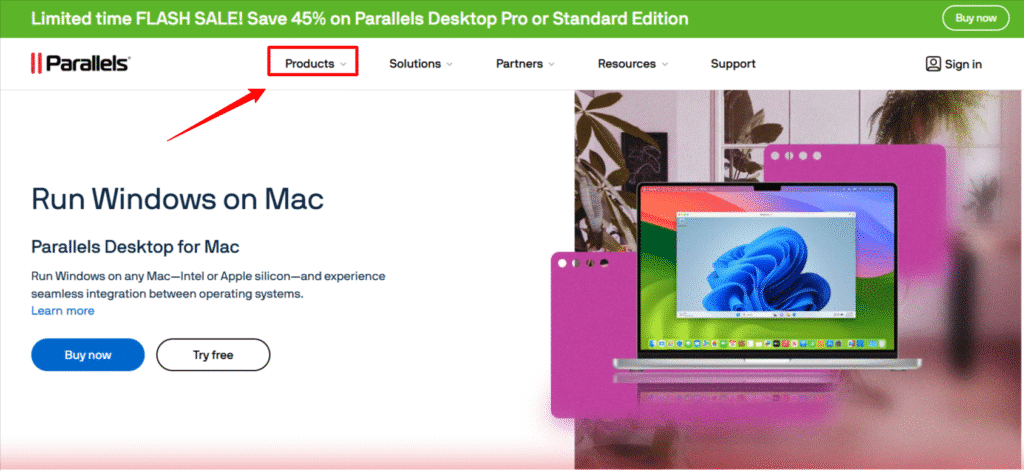
It creates a full virtual machine, allowing you to use Windows apps alongside Mac apps with shared files, clipboard, and USB devices.
It supports Windows 11, including ARM on Apple Silicon, and offers DirectX graphics acceleration.
Users choose Parallels for strong performance, broad compatibility, and seamless macOS integration.
Conclusion: How Much Does It Cost To Run Parallels on Mac?
In 2026, the total cost of running Parallels on Mac includes the subscription price plus a Windows license (if you install Windows).
- Standard Edition ($99.99/year): Best for students and everyday users who need Windows apps, Office tools, or light development.
- Pro Edition ($119.99/year): Designed for developers and power users who need up to 128 GB vRAM, 32 vCPUs, CLI tools, and advanced networking.
- Business Edition ($149.99/year): Built for teams that require centralised license management, mass deployment, and admin controls.
Choose the Standard edition for cost-effective everyday use, and upgrade to Pro or Business if you require higher performance, advanced tools, or enterprise-level management features.
Frequently Asked Questions
How Expensive Is Parallels For Mac?
Parallels for Mac typically costs $99.99-$149.99 per year (Standard to Business), plus about $139–$199 if you also need a Windows license.
Is Parallels A One-Time Fee?
No, Parallels Desktop is not a one-time purchase. It works on a subscription model, where you typically pay around $99.99 per year for the Standard plan.
Is Apple Parallels Free?
No, Apple Parallels is not free. Parallels Desktop requires a paid license, though it often offers a free trial for a limited period before purchase.
Can You Buy Parallels For a Lifetime?
Yes, Parallels offers a lifetime license through its Standard Edition. You pay once and own that version permanently, but major future upgrades require a separate purchase.
How To Cancel A Parallels Subscription?
You can cancel your Parallels subscription based on where you bought it. If you purchased it directly, log in to your Parallels account, go to the Subscriptions section, and turn off auto-renewal before your next billing cycle. If you subscribed through the Apple App Store, open System Settings, go to your Apple ID → Subscriptions, select Parallels Desktop, and click Cancel Subscription.