In this Parallels vs Crossover comparison, I tested both platforms to run Windows and native .exe files on a Mac. Parallels costs $99.99 per year for Standard, $119.99 for Pro, and $149.99 for Business. Crossover offers a $74 one-time license with 12 months of updates or $494 for lifetime access.
I compared performance, ease of setup, app compatibility, and system resource usage to determine which delivers better overall value.
Which Is Better: Parallel or CrossOver?
Here’s a simple comparison between Parallels Desktop and Crossover to help you decide which one is worth trying.
| Decision Point | Parallels Desktop (Mac) | Crossover (Mac) |
|---|---|---|
| App Support | Works with almost all Windows apps and many games | Works only with supported Windows apps; compatibility varies |
| Full Windows Required | Requires full Windows installation (Windows 11 supported) | No Windows installation required |
| System Load | Uses higher RAM, CPU, and storage (runs full VM) | Uses fewer system resources (no VM) |
| Apple Silicon Support | Fully optimized for M1, M2, and M3 chips | Runs on Apple Silicon, but app compatibility varies |
| Gaming Performance | Strong performance with GPU acceleration (DirectX support) | Limited gaming support; many titles unsupported |
| Windows License | Requires a valid Windows license activation | No Windows license required |
| Performance Stability | Consistent across most Windows software | Stable only for officially supported apps |
| macOS Integration | Advanced integration (Coherence Mode, shared clipboard, drag-and-drop) | Basic integration; less seamless |
| USB & External Devices | Supports USB pass-through and external hardware | Limited device support |
| Ease of Setup | Guided installation with automatic Windows setup option | Simple setup for supported apps only |
| File Sharing | Requires a valid Windows license activation | Works for many apps, but is less consistent |
| Standard Pricing (2026) | $99.99/year (Standard) | $74 one-time (includes 12 months updates) |
| Pro / Advanced Pricing | $119.99/year (Pro), $149.99/year (Business) | $494 lifetime license |
| Discounts | Up to 50% off during sales | Up to 40% off during promotions |
| Long-Term Cost | Higher due to annual subscription | Full drag-and-drop, shared folders, and copy-paste support |
Overall: Choose Parallels for full Windows compatibility and performance, and choose CrossOver if you prefer lower cost and lighter system usage for a limited number of supported apps.
A limited-time deal is available where you can claim 75% off Parallels coupon code and save up to $99.
What Key Features Should You Compare In Parallels vs CrossOver?
Let’s compare the features of Parallels and CrossOver to get more clarity on which one is the best for you to choose as a virtual machine.
| Feature Type | Parallels Desktop | CrossOver Mac |
|---|---|---|
| Windows Environment | Runs a full Windows OS inside macOS | Runs Windows apps without installing Windows |
| App Display Mode | Coherence Mode places Windows apps next to macOS apps | Apps run directly in macOS if supported |
| Hardware Support | Strong GPU support, USB pass-through, and DirectX | Limited hardware support; depends on each app |
| Performance Load | Higher system usage due to a full VM | Light on RAM, CPU, and storage |
| Apple Silicon Support | Fully compatible with M1/M2/M3; supports Windows 11 ARM | Works on Apple Silicon, but app support varies |
| Windows License | Required | Not required |
| App Compatibility | Works with most Windows apps and games | Hit-or-miss; some apps run well, others may not |
| Installation Style | Install Windows, then install apps normally | One-click installers for supported apps through CrossTie |
| Best For | Users needing full Windows features, drivers, or gaming | Users needing a few lightweight Windows apps |
Which One Offers A Better Experience & Workflow?
Using Parallels Desktop
Parallels Desktop runs a full Windows virtual machine on Mac, letting you install Windows 11 and allocate system resources like RAM, CPU, and storage.
You can easily drag and drop files, copy and paste between systems, share folders, and use USB devices. With Coherence Mode, Windows apps can run directly on the Mac desktop.
It needs more system resources, usually around 8GB–16GB RAM and 64GB+ storage, but it offers high compatibility with most Windows software and many games.
Using CrossOver Mac
CrossOver Mac runs Windows apps on macOS using a compatibility layer (Wine) instead of installing Windows or creating a virtual machine.
It uses less RAM and storage and does not require a Windows license, making it lighter on system resources. Apps also launch faster since there is no full operating system running in the background.
Performance depends on the app. Some programs run smoothly, while others may have limited or no support.
What Is The Pricing Difference Between Parallels and CrossOver?
| Product | Model / License | Cost (US) |
|---|---|---|
| Parallels Desktop (Mac) | Standard Edition – Annual Subscription | $99.99/year |
| Standard Edition – One-Time Purchase | $219.99 | |
| Pro Edition – Annual Subscription | $119.99/year | |
| Business Edition – Annual Subscription | $149.99/year | |
| CrossOver (Mac) | 12-Month Support License | $74/year |
| Lifetime Support License | $494 one-time |
Parallels Desktop Pricing

- TrustRadius reports that Parallels Desktop Standard Edition starts at US $99.99/year.
- SoftwareSuggest shows Parallels pricing from US $78/year, likely reflecting regional or promotional rates.
- Parallels also offers a one-time purchase option alongside its subscription plans on its official site, meaning you can choose between annual billing or a perpetual license depending on your budget and needs.
Explore all Parallels pricing options in-depth to find the plan that best fits your goals.
CrossOver Mac Pricing

- According to G2, CrossOver costs US $39.95/month or US $59.95/year for an annual subscription.
- Macworld lists CrossOver lifetime licenses at US $494, with a US $74 one-year license available as well.
- With CrossOver, you keep the last version you received even after support expires.
If you only need to run a few Windows apps, CrossOver may cost significantly less over time than a full Windows virtualisation solution.
How Do Parallels And CrossOver Compare In Performance and Compatibility?
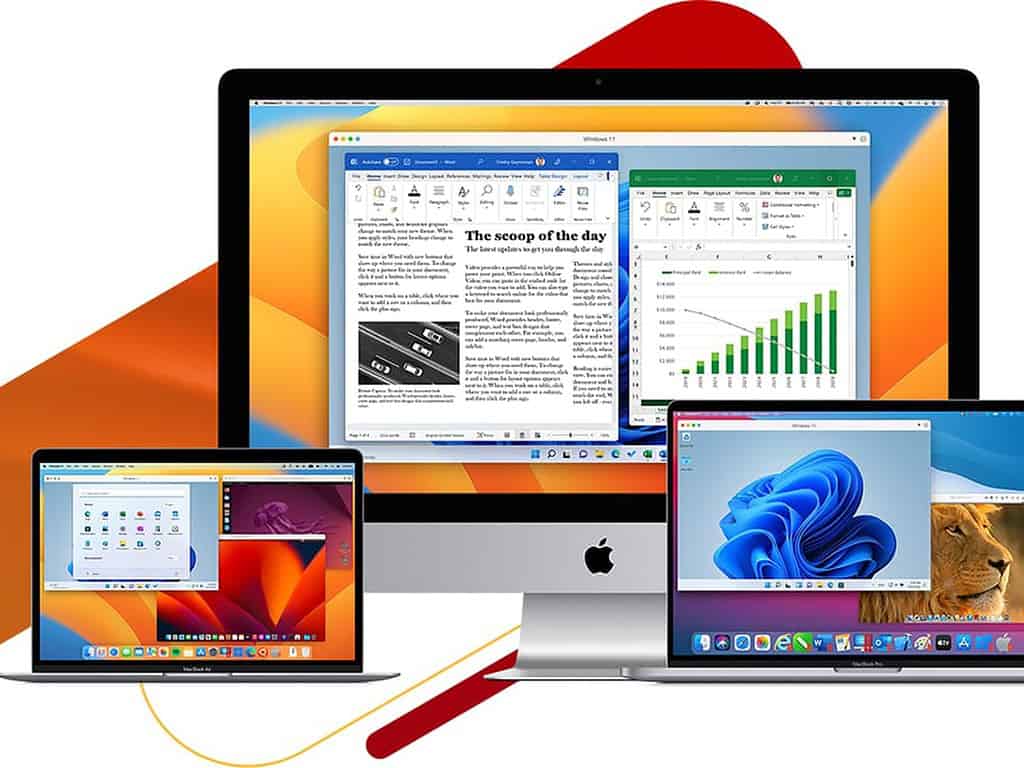
Parallels delivers stronger performance because it’s running a real copy of Windows. You’ll get full compatibility with just about any Windows app or game.
On an Apple Silicon Mac, it’s surprisingly smooth, especially with the ARM version of Windows 11. Heavy software like Visual Studio, AutoCAD, or even high-end games will feel close to native.
CrossOver focuses more on speed and convenience than full Windows compatibility. It works well with many productivity apps and lighter games, but some Windows programs may not run properly because the Windows-to-macOS translation is not always perfect.

Which Platform Should You Choose: Parallels or CrossOver?
Choose Parallels if you want the highest compatibility with Windows apps and games and don’t mind using more system resources for a full virtual machine experience.
Choose CrossOver if you only need a few supported Windows apps, want to save storage and RAM, and prefer to avoid buying a separate Windows license.
What Is Parallels?
Parallels Desktop runs a full Windows virtual machine on your Mac. Install the app, set up Windows 11, and run Windows programs alongside macOS without rebooting. It automatically handles file sharing, USB devices, display settings, and clipboard syncing.
Users choose Parallels for high compatibility, DirectX graphics support, and full system access. It supports Intel and Apple silicon Macs (M1, M2, M3). Coherence Mode lets you run Windows apps directly on the Mac desktop.
Parallels costs $99.99 per year (Standard) and $119.99 per year (Pro) in the U.S., with discounts often up to 50%. It uses more RAM and storage because it runs a full Windows OS, but it delivers near-native performance for most applications.
How Does Parallels Desktop Work?
- Parallels Desktop uses full virtualisation to create a virtual machine (VM) on your Mac. Inside this VM, you install Windows (such as Windows 11) or Linux and run applications as if you were using a native PC.
- The software allocates part of your Mac’s RAM, CPU cores, and storage to the virtual machine, allowing Windows to operate independently while macOS runs in the background.
- This approach works best when you need the complete Windows environment, including system drivers, enterprise software, development tools, or Windows-only games.
What Is CrossOver?
CrossOver runs select Windows applications on macOS without installing Windows. It uses the Wine compatibility layer to translate Windows API calls into macOS instructions, allowing supported apps to run directly on your system.
Because it does not create a virtual machine or install a full Windows OS, CrossOver uses less RAM, CPU, and storage than virtualization software. You also do not need to purchase a Windows license.
You install apps through CrossOver, and supported programs run without a separate Windows desktop. Compatibility depends on the specific application; some apps run smoothly, while others may not work.
CrossOver costs $74 for a one-time license (includes 12 months of updates) or $494 for a lifetime license (U.S. pricing).
How CrossOver Mac Works?
- CrossOver runs on the Wine compatibility layer, which translates Windows API calls into macOS-native instructions so supported Windows applications can run directly on your Mac.
- It does not install or run a full Windows operating system, meaning you avoid setting up a separate Windows desktop environment.
- Compatibility depends on the specific application, so it works best when you need only a limited number of officially supported Windows apps.
Conclusion: Which One Is Better, Parallels Or CrossOver?
When you compare Parallels vs. CrossOver, the better choice depends on how you plan to use Windows on your Mac.
Choose Parallels Desktop if you need full Windows compatibility, strong performance, and support for most apps and games; it costs $99.99 per year plus a Windows license.
Choose CrossOver Mac if you only need a few supported Windows apps and want lower system usage. It does not require a Windows license and costs $74 for a 12-month license or $494 lifetime license.
Is CrossOver The Same As Parallels?
No, both work differently. Parallels runs a full Windows system, while CrossOver runs select Windows apps without installing Windows.
Is Parallels Being Discontinued?
Parallels is not discontinued. It still receives updates for Apple Silicon, Windows 11 ARM, and the latest macOS versions.
Does Parallels Lag on Mac?
Parallels generally does not lag on Mac if you allocate enough RAM and CPU resources, but performance depends on your Mac’s hardware.